A real website, built in minutes. No code.
SiteForge turns a short checklist into a finished, responsive site. Pick one of 16 templates, fill in your details, watch it build live, then download a ZIP of plain HTML. No account, no paywall, no AI upsell — it costs nothing to run because there is nothing to run it on.
Runs entirely in your browser. Nothing you type is uploaded, tracked or logged.
Three steps, no learning curve
Every control is labelled in plain English. If you can answer a few questions about your business, you can publish a site today.
Start from a template
16 sector templates, researched from real template galleries (HTML5 UP, WordPress and Wix patterns) rather than recolouring one layout 16 times. Each one has genuinely different pages and structure.
Make it yours
Colours, photos, wording, page order. Add or remove any of 12 page types — pricing, FAQ, testimonials, news, team, booking — and point any card at any page or URL.
Download and publish
You get a ZIP of static HTML, CSS and one small script. Drag it onto Vercel, Netlify, GitHub Pages or any free host. No build step, no database, no maintenance.
The boring parts are finished, not "coming soon"
Most builders sell you a shell. These are the bits that usually don't work — they work here, verified in a real browser every build.
A cart that works
Add items, change quantities, live total, then check out over WhatsApp or email with the itemised order. No payments, no server, no fake cart.
Clickable cards
Menu, service, project and team cards open a detail dialog with prices, descriptions
and a call to action. Esc closes it; inner links still work.
Navigation that never dead-ends
Every layout keeps its navigation on every page, and the sidebar gets a real hamburger on phones instead of a squashed link bar.
The preview is the export
One render function produces the live preview, the ZIP and the single-file build — so what you see is literally what you download. Not "similar".
Yours afterwards
The export is readable, commented HTML with your text. Tweak it in any editor, or come back and change it in the builder.
No tracking, anywhere
No accounts, no cookies, no analytics, no fonts loaded from Google. Your draft stays in your own browser and is never sent to a server.
Sixteen real layouts, each with real pages
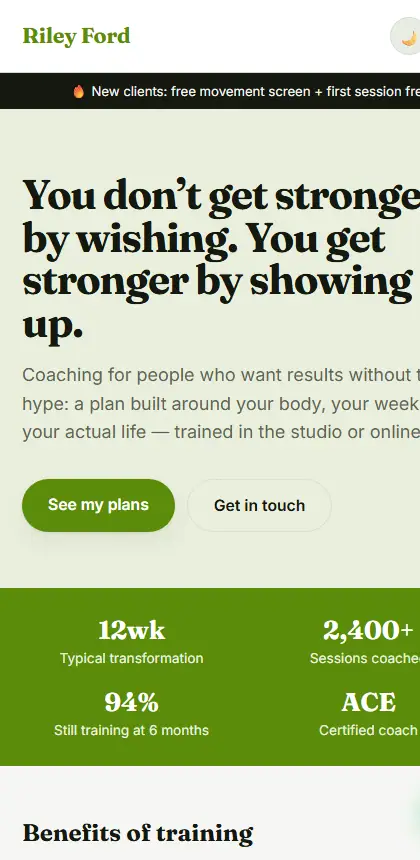
Every screenshot below is the actual export, not a mockup. Click one to open the live example and click around — the links work.
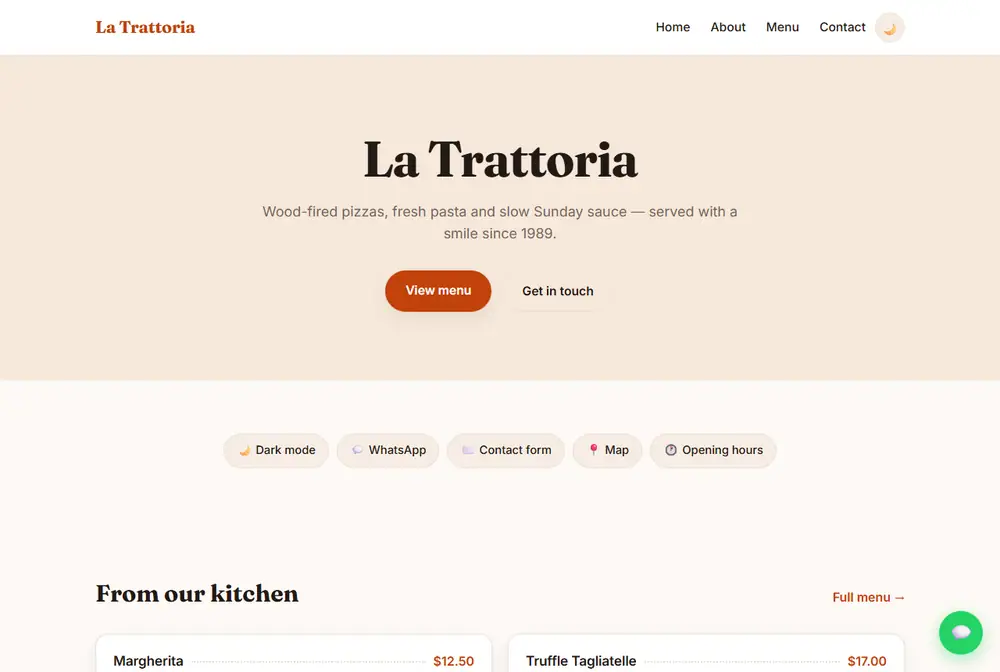
🍽️ Eatery & Restaurant
Menu, prices, hours and booking — for cafés, bakeries, takeaway.
Open live example →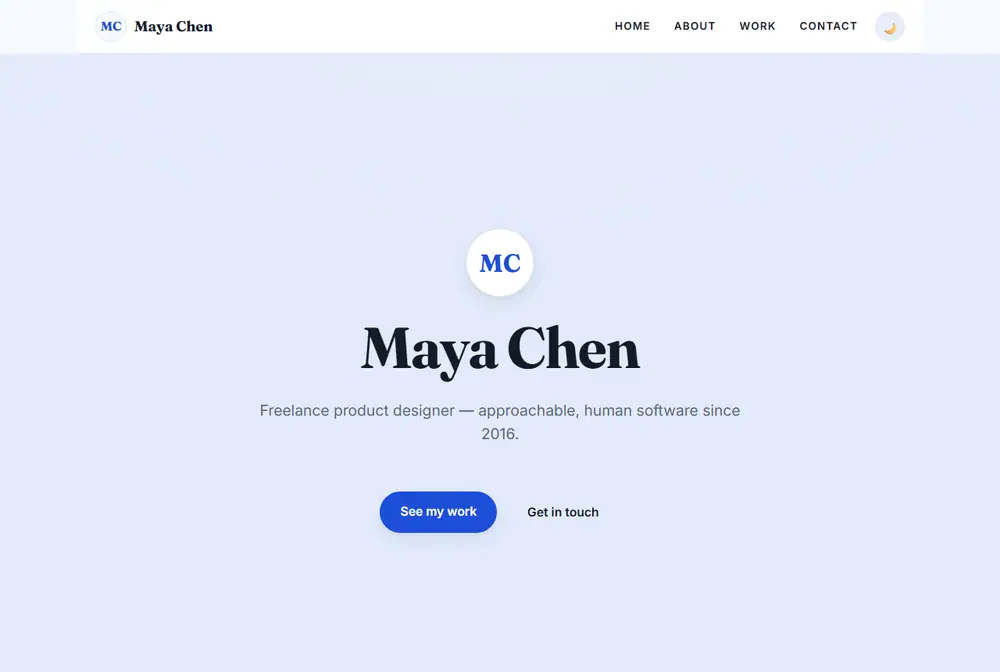
🎨 Portfolio
Full-screen hero with a centred nav bar on every page — designers, photographers.
Open live example →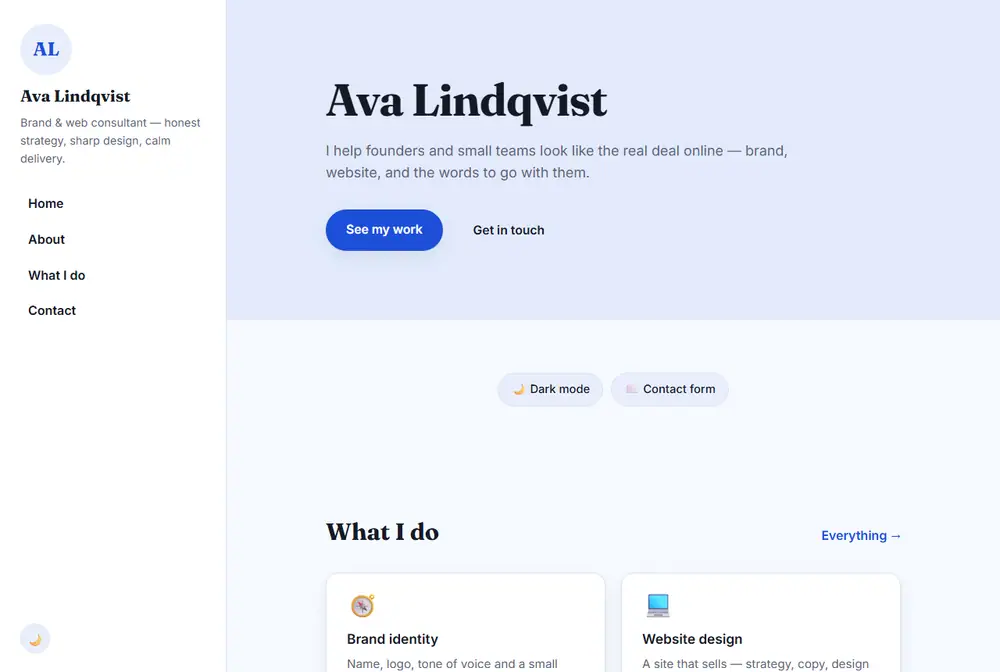
👤 Profile & Freelancer
Fixed sidebar with a mobile hamburger — consultants, coaches, speakers.
Open live example →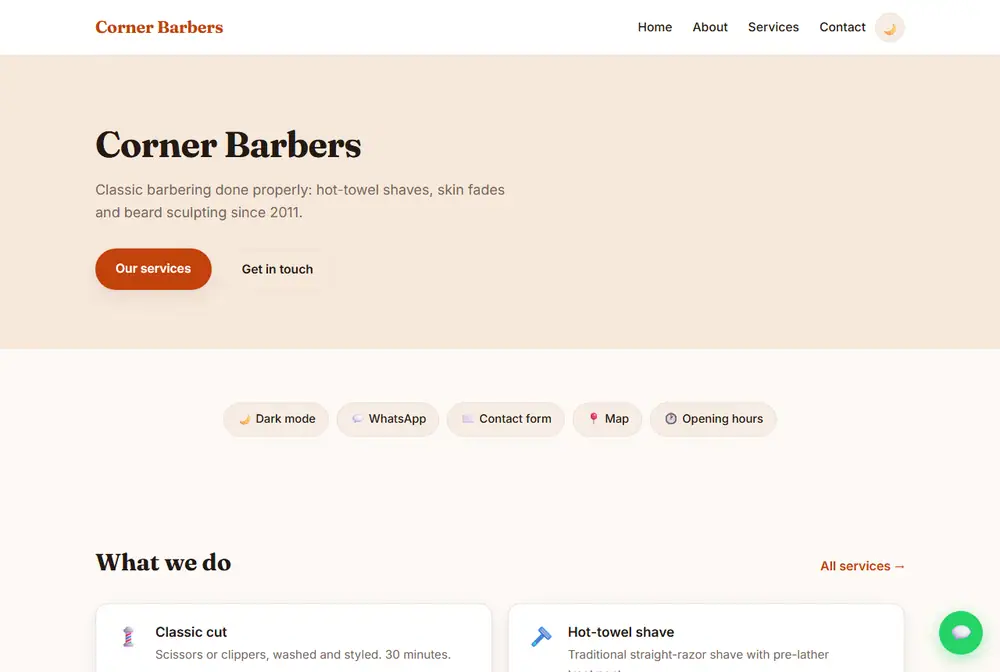
🏢 Small Business
Services, hours and booking — contractors, salons, studios, shops.
Open live example →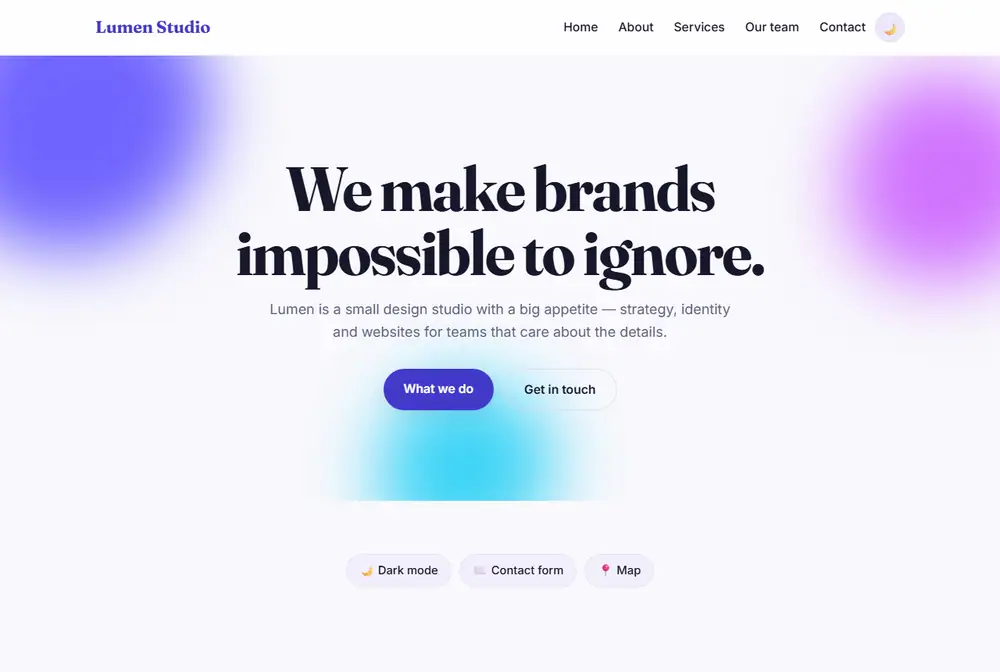
✨ Modern Studio
Oversized type, floating colour shapes, glassy cards — creative studios.
Open live example →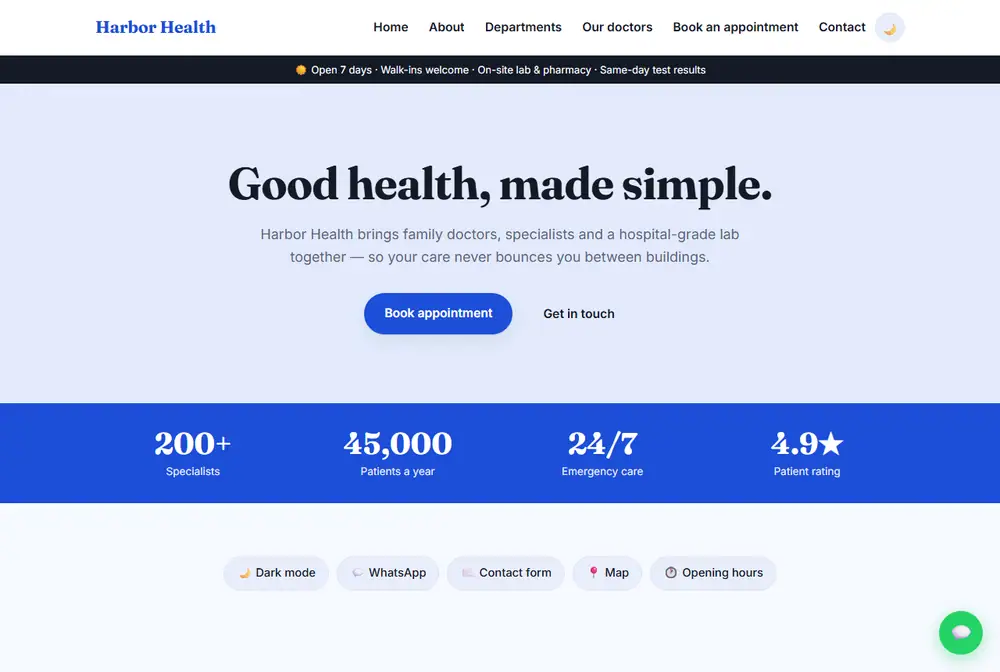
🏥 Clinic & Hospital
Departments, doctors and appointment requests — clinics, dental, vet.
Open live example →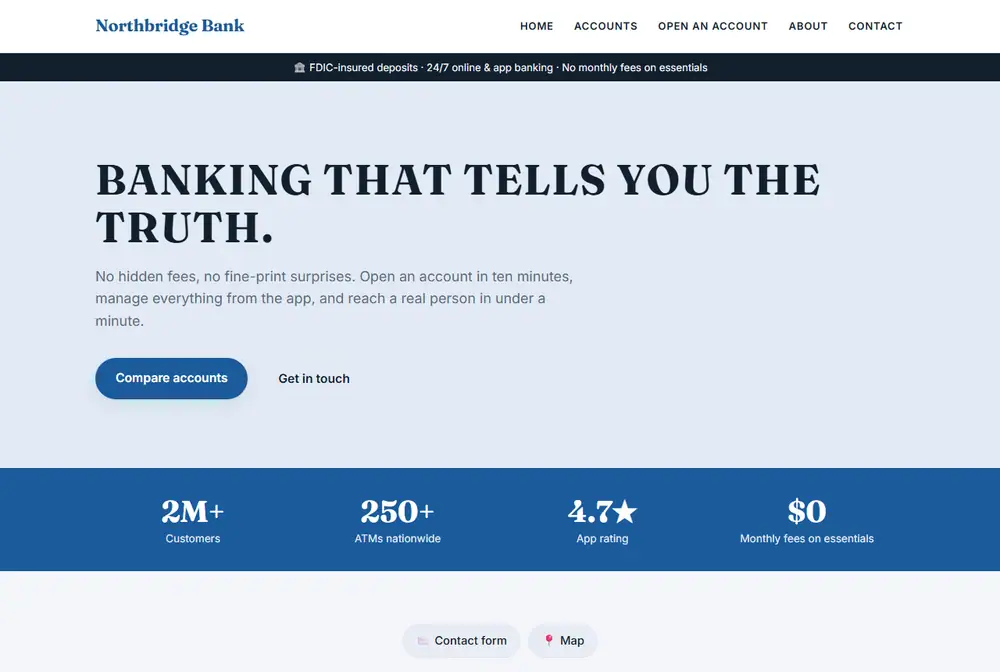
🏦 Bank & Finance
Accounts, cards and a rate table — banks, credit unions, lenders.
Open live example →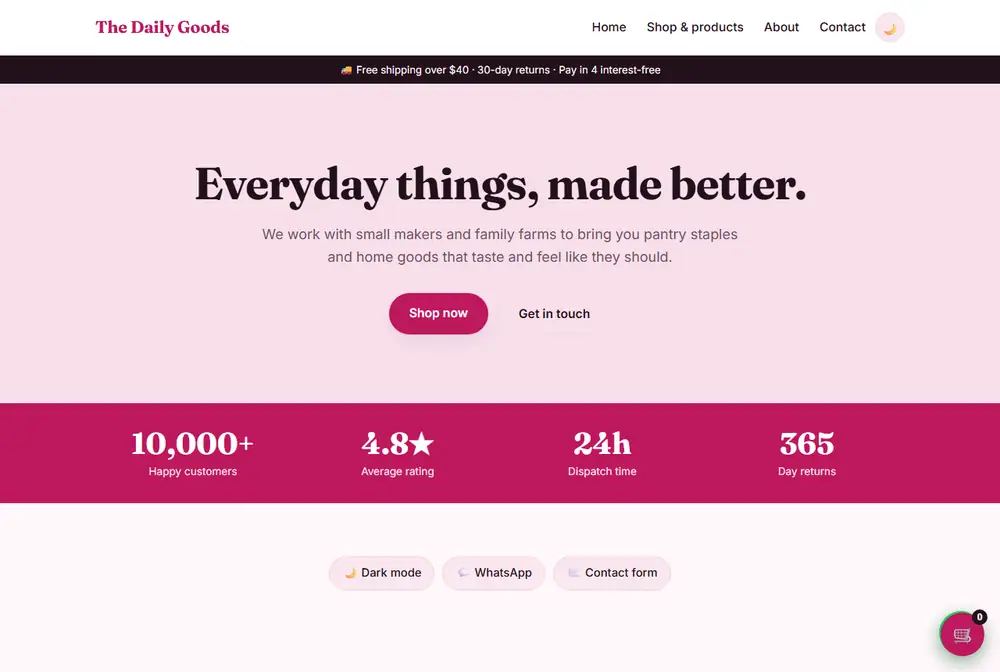
🛍️ Online Shop
Product grid with a working cart and WhatsApp/email checkout.
Open live example →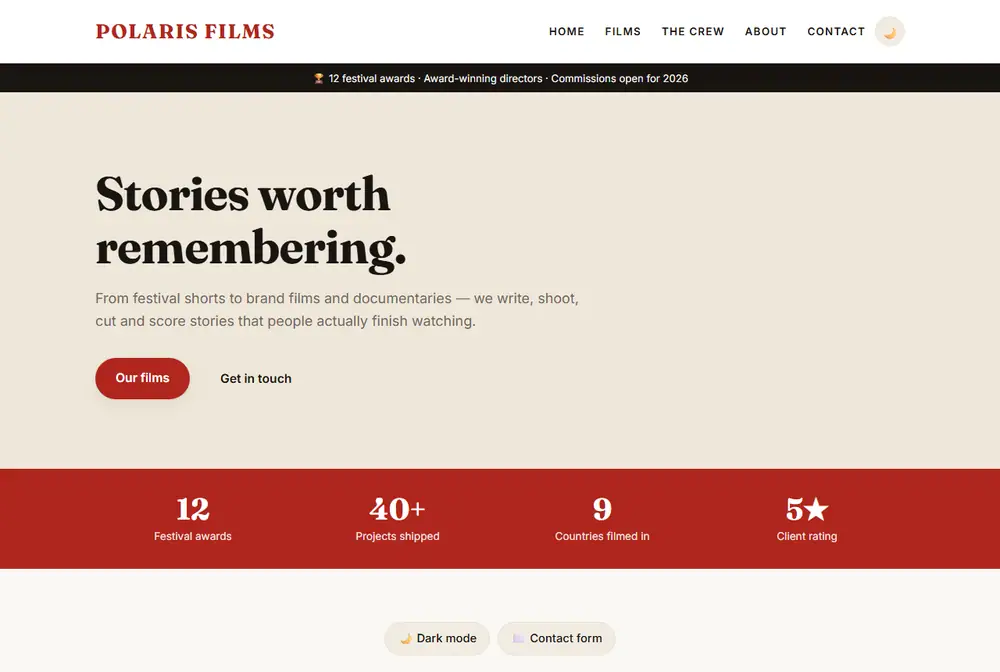
🎬 Film & Video Studio
Editorial poster grid and crew page — directors, producers, videographers.
Open live example →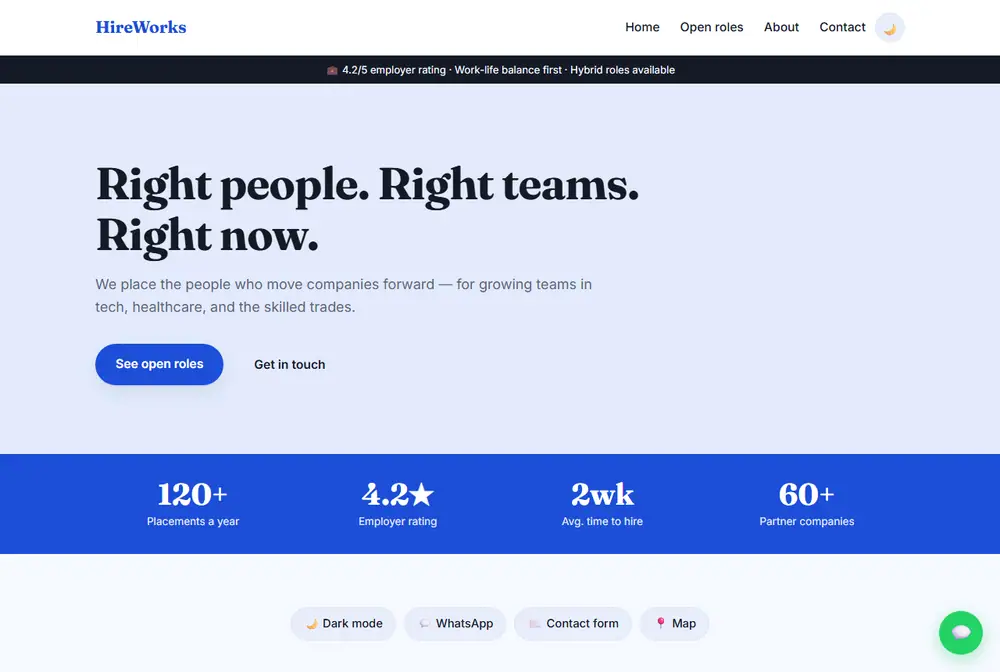
💼 HR & Recruitment
Open roles and placement stats — recruitment agencies and HR firms.
Open live example →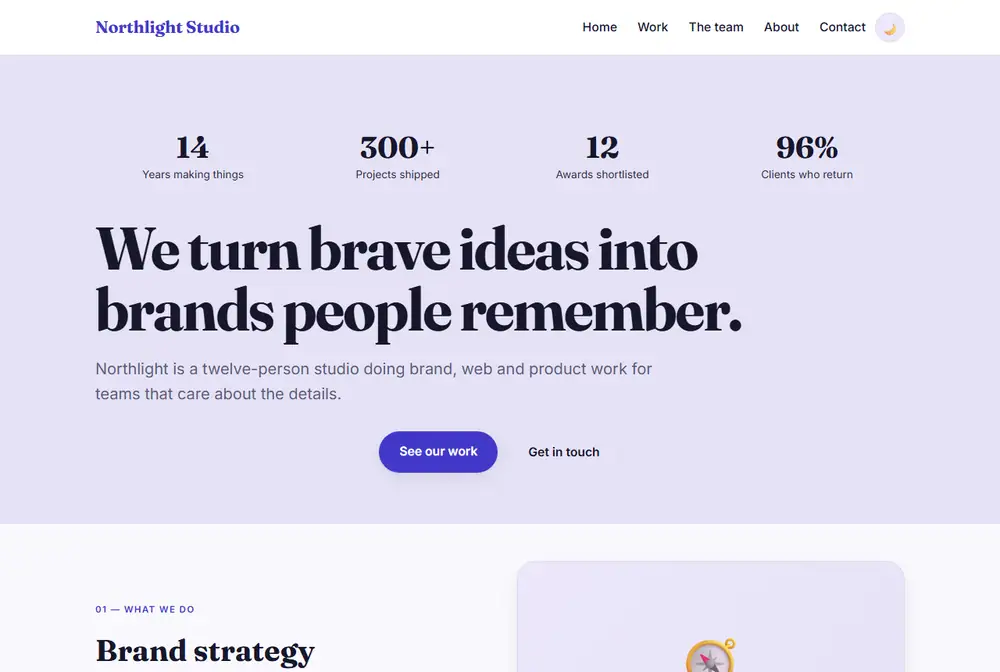
🚀 Creative Agency
Full-screen statement, then alternating text and visual blocks.
Open live example →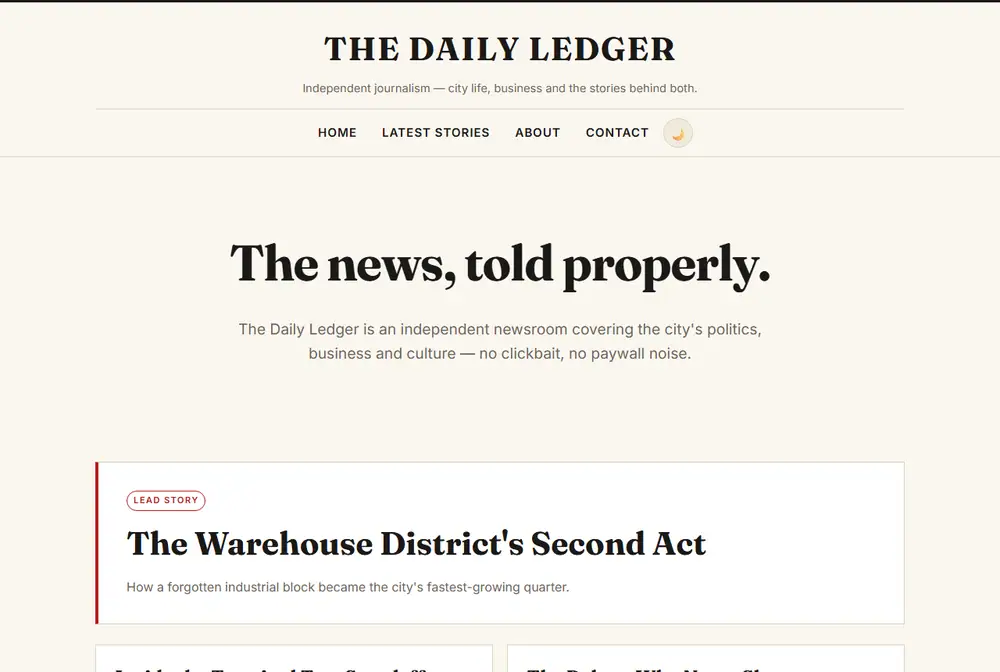
📰 Newsroom & Magazine
Serif masthead, lead story above a dense grid — publications and newsrooms.
Open live example →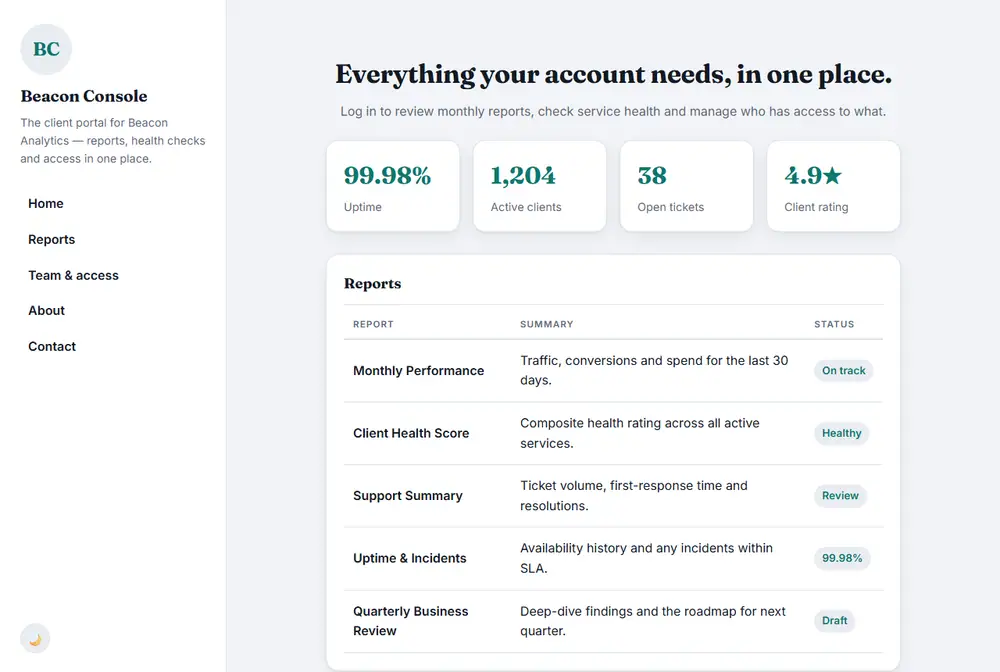
📊 Admin Dashboard
KPI tiles, a reports table and a compact sidebar — client portals.
Open live example →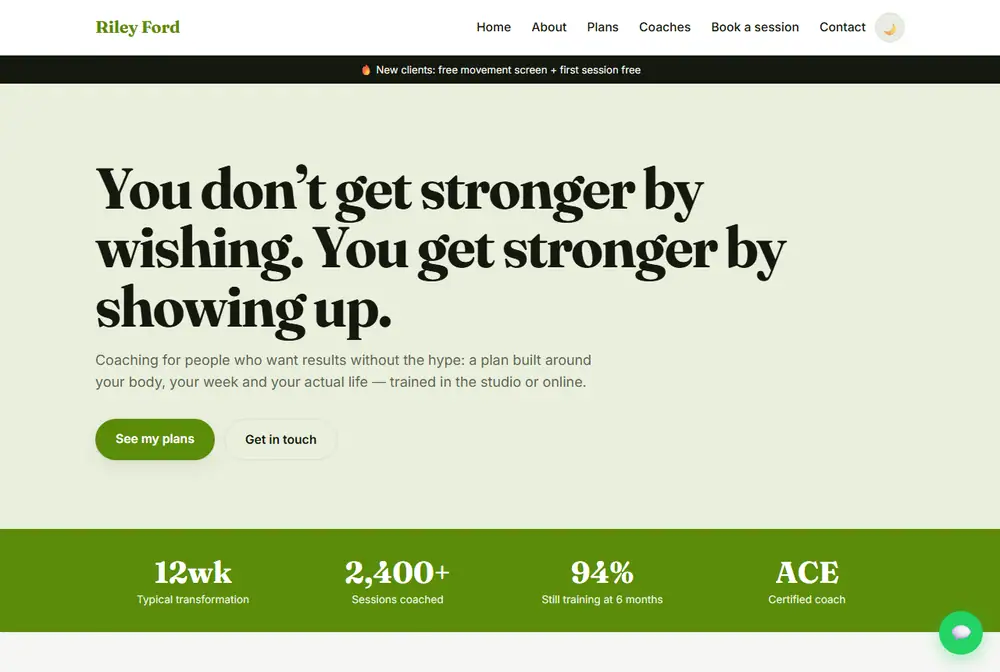
💪 Fitness Coach
Bold statement hero, benefits and priced plans — trainers and gyms.
Open live example →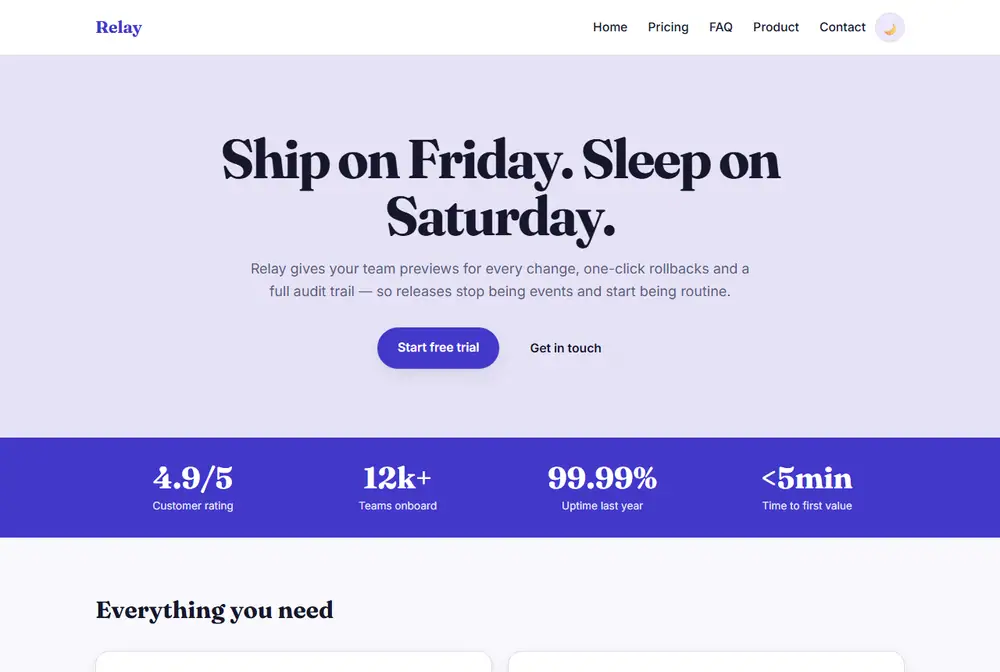
🧰 SaaS Landing
Centred product hero, feature grid, pricing tiers and an FAQ.
Open live example →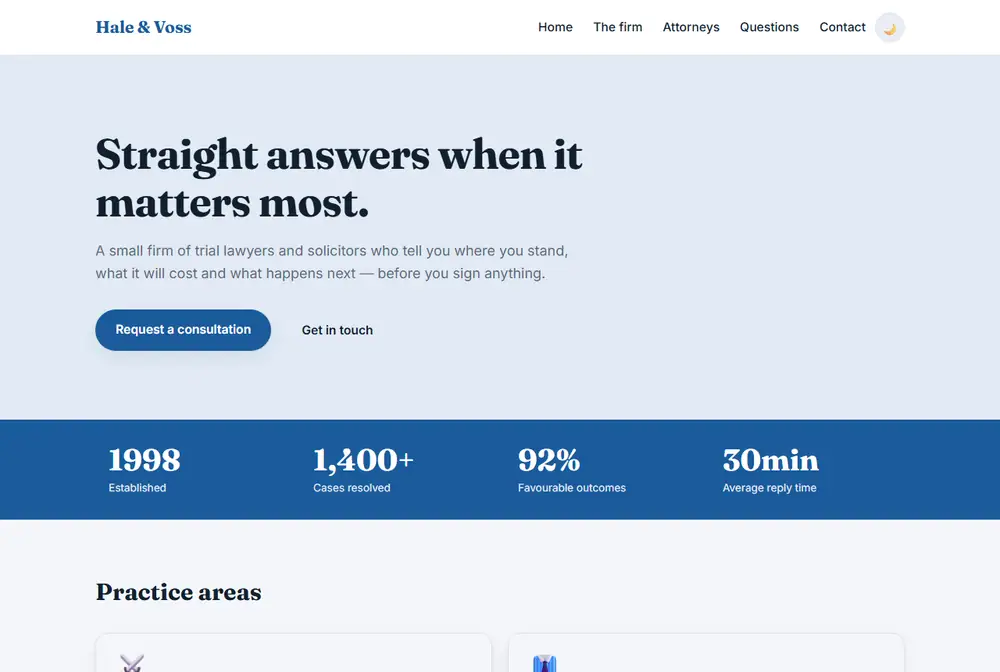
⚖️ Law Firm
Restrained, trustworthy practice areas, attorneys and common questions.
Open live example →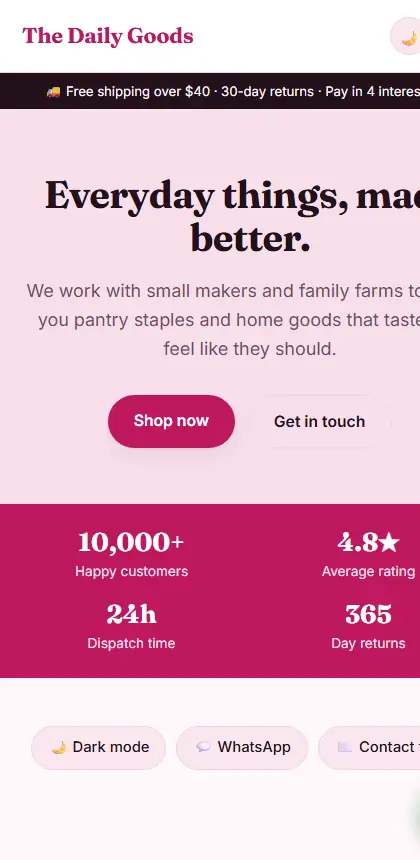
Built mobile-first, not shrunk afterwards
Real hamburger menus, dropdowns that fit a narrow screen, and grids that collapse to one column. Test any template on a phone in the builder before you export — the device toggle is right above the preview.
What it doesn't do (yet)
Better you know now than after you've built a site around it.
- No payments or accounts. There is no login, no user database and no card processing. The cart hands your order off to WhatsApp or email, and the contact form opens the visitor's email app.
- No content management system. Editing after export means editing the HTML (or coming back to the builder). There is no admin panel to hand to a client.
- No cloud sync. Your draft lives in this browser's local storage. Download a copy to keep it, and don't clear your browser data.
- Photos live inside the file. Images are compressed and embedded, so keep them small (roughly under 1500px) or your ZIP gets heavy.
- One device at a time. Two open tabs can overwrite each other's draft — there is no sync yet. This is the first thing on the roadmap.
- Early project. It works and is tested, but it is young. Expect rough edges and tell me about them.
This is an early build — tell me what would actually make you use it
If you try it, I'd rather hear the specific thing that annoyed you than a general "nice!". Questions I'm genuinely deciding:
- Which template should come next? Real estate, wedding, nonprofit, restaurant reviews, a blog?
- Would you pay $5/month for hosting, a custom domain and synced drafts if it saved you an afternoon?
- Do you need multi-page photo galleries, blog posting or simple payments to use it at all?
- Anything confusing in the builder? Words, layout, or the export?